Add your platform, gamertag and Discord handle so opponents can reach you to schedule. Do it the same day you claim your team.
A league can’t schedule a game with someone it can’t reach. Setting your console, gamertag and Discord handle is what makes you findable — so your opponent knows how to get hold of you and set a kickoff.
What to set
- Console / platform — PS5, Xbox, or PC, so people know where you play.
- Gamertag — your platform username, so an opponent can add you and start the game.
- Discord handle — so mentions, matchup channels and scheduling nudges reach the right person.
Set it in the app
- Sign into app.franchisehuddle.app and open your profile / owner settings.
- Add your console, your gamertag, and your Discord handle.
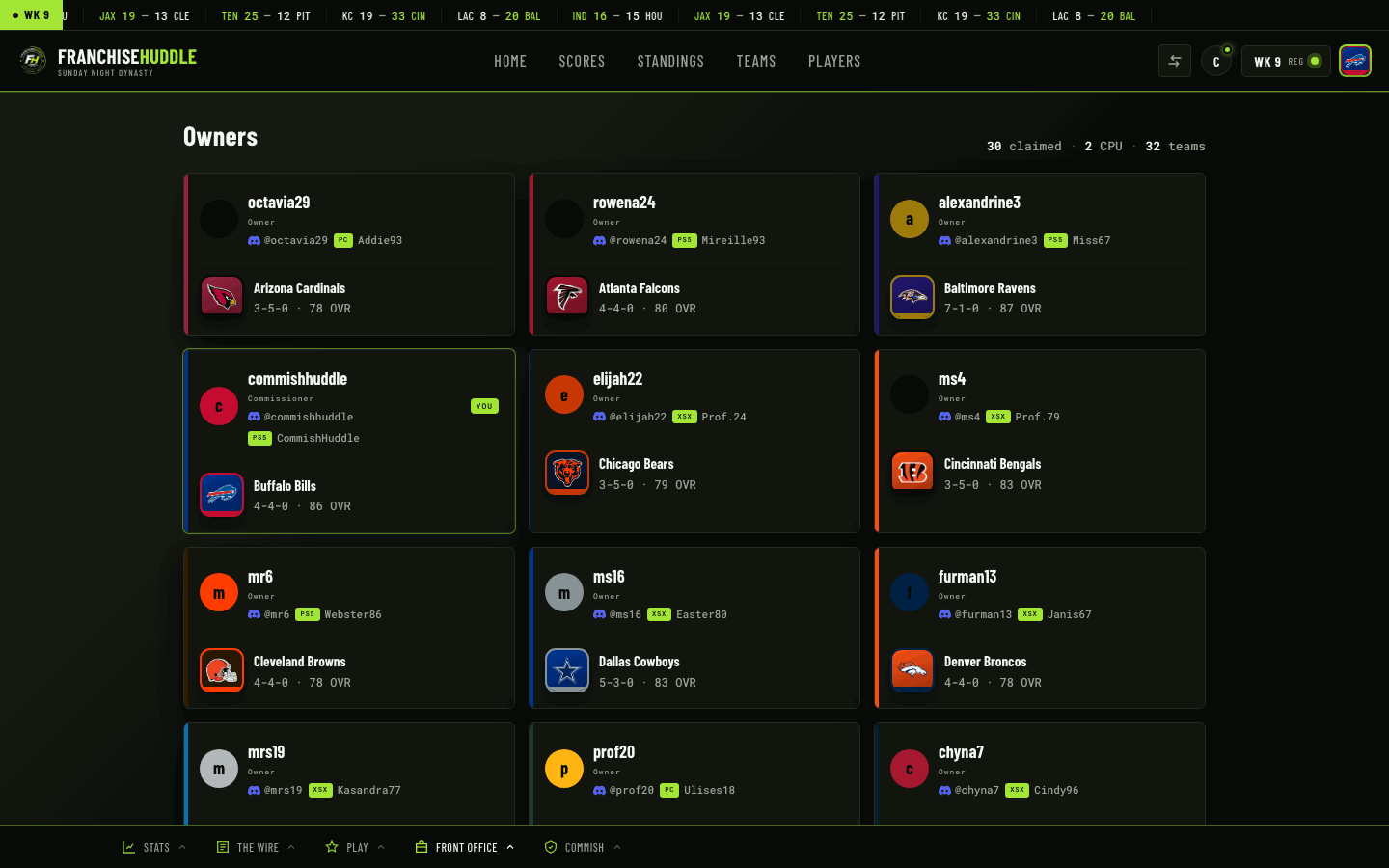
- Save. Your details now show alongside your team in the owners directory.
Link your Discord too
If your league runs the Discord hub, run /link to connect your Discord account to your FranchiseHuddle account, and /claim to tie yourself to your team. That’s what makes matchup channels tag you and notifications reach you.
Do this the same day you claim your team. Claiming tells the league which team is yours; your console and gamertag tell them how to actually play you. Together, they make scheduling effortless.
Where it shows up
Your platform and gamertag appear in the owners directory next to your team and record, so when it’s time to schedule, your opponent has everything they need to reach you in one place.