
Set an advance timer and a scheduling window once. Owners lock their own kickoffs, and FranchiseHuddle auto-pings anyone running late.
Chasing two owners to agree on a kickoff time is the job every commissioner hates. FranchiseHuddle turns it into a self-service window — you set the rules once, and the league schedules itself.
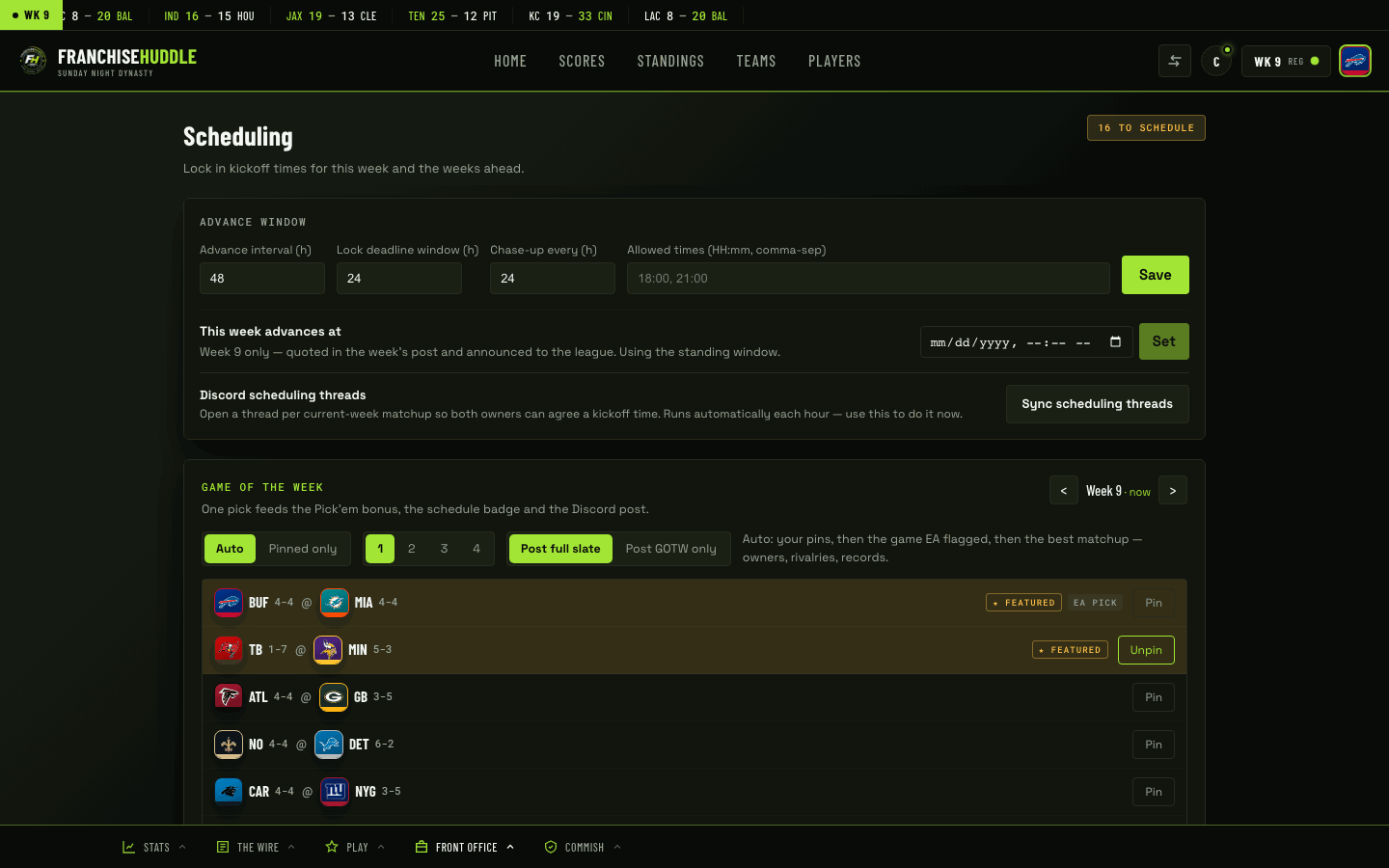
The two settings
- Advance timer — how long the league has to play out a week before you advance. For example, a 48-hour advance.
- Scheduling window — how long owners have, inside that period, to lock a kickoff time for their matchup. For example, a 24-hour window to agree on a time.
Set these once and every matchup inherits them automatically.
How owners use it
- Both owners in a matchup drop their availability, so the overlap is obvious instead of buried in a group chat.
- They pick a time inside the window and lock the kickoff.
- The locked time shows on the league schedule with a clear marker, so the whole league knows when each game is being played.
Auto-ping the stragglers
Any game still without a locked time before the deadline pings both owners on its own — in-app and in Discord. It’s exactly the nudge you would have sent by hand, sent on time, every time, without the awkwardness. The nagging that kills leagues happens automatically, and only when it actually needs to.
Set a window that fits your league’s pace. A tighter window keeps things moving; a looser one suits a more casual group. Either way, you stop being the person DMing everyone about kickoff times.
Configure it
Set your advance timer and scheduling window in your league’s scheduling settings at app.franchisehuddle.app. Owners then handle availability and locking from their own matchup views — see Set availability & lock a kickoff in For Owners & Players.