
Force a result or record a forfeit to settle no-shows and disputes. It changes only FranchiseHuddle’s standings — never the imported EA score — and a reason is required.
Sometimes a game can’t be played straight — a no-show, a forfeit, a dispute. Result overrides let you settle it cleanly and in the open, without ever touching the real score.
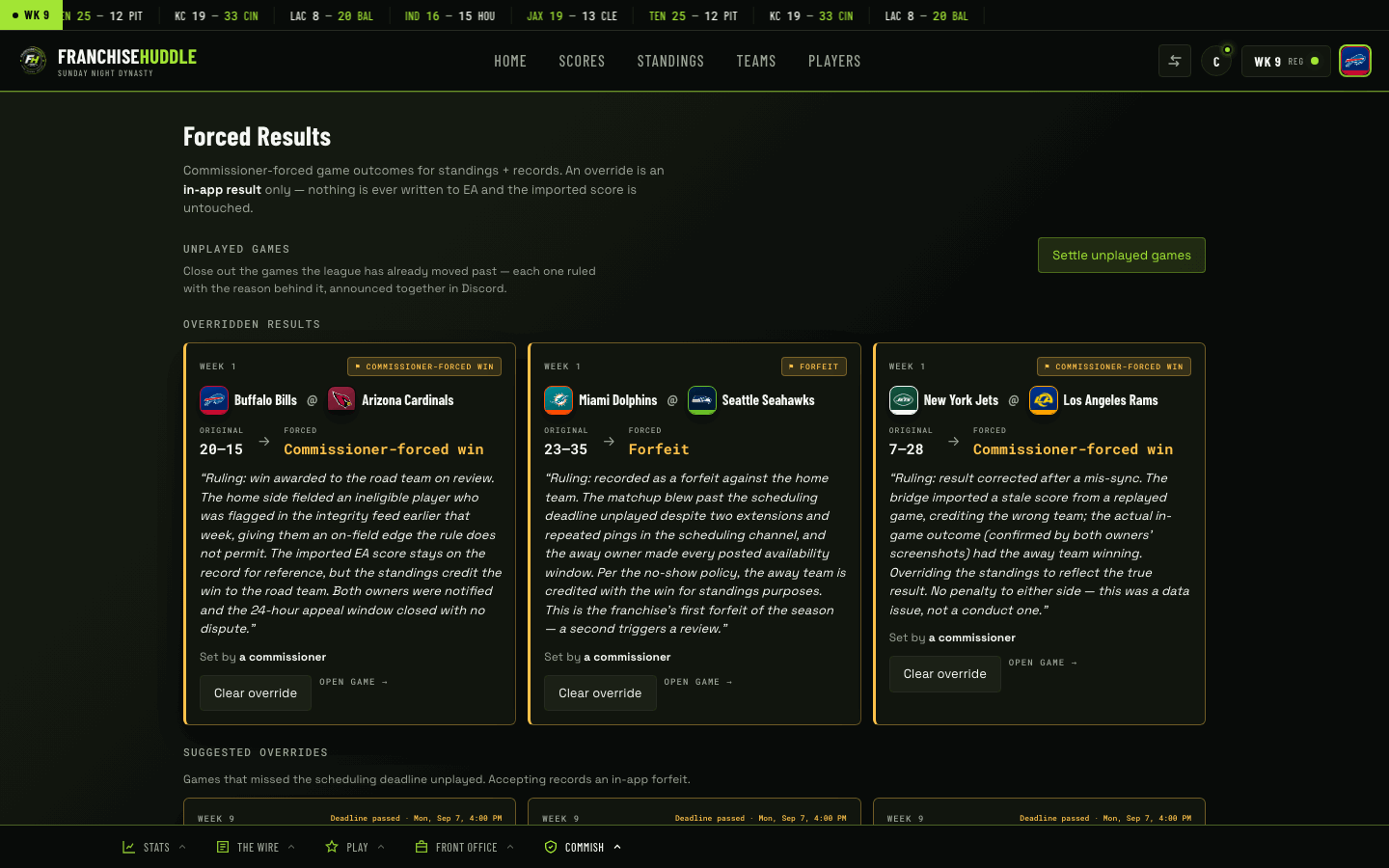
What an override does
- Force a result — award a win when a game can’t be played as scheduled.
- Record a forfeit — close out a no-show cleanly so the week (and the standings) don’t stay stuck.
An override adjusts FranchiseHuddle’s standings and records only. It never changes the imported EA score — because the sync is read-only, the original result is preserved right alongside your ruling.
How to force a result
- Open the game in your league dashboard at app.franchisehuddle.app.
- Choose to force a result or record a forfeit.
- Set who gets the win / who forfeits.
- Enter a reason — this is required, and it’s what makes the ruling transparent.
- Confirm. The standings and records update, the forced result wears a badge in the app, and your reason posts to Discord automatically.
Why it’s badged and announced
Every forced win or forfeit wears a badge so nobody mistakes a ruling for a game that was actually played, and the reason posts to the server so the whole league sees why the call was made. No-shows and disputes are where leagues get ugly — usually in private DMs — so overrides put the ruling in daylight.
An override is a ruling, not a rewrite. The real EA result is always there underneath, clearly labelled, so a forced win can never be confused with a played one.
When to use it
Reach for an override when a game genuinely can’t be settled in the franchise — a ghosting owner, an agreed forfeit, a disputed matchup you’ve ruled on. For an actual data problem (a missing game that was played), that’s sync troubleshooting, not an override.